Databases
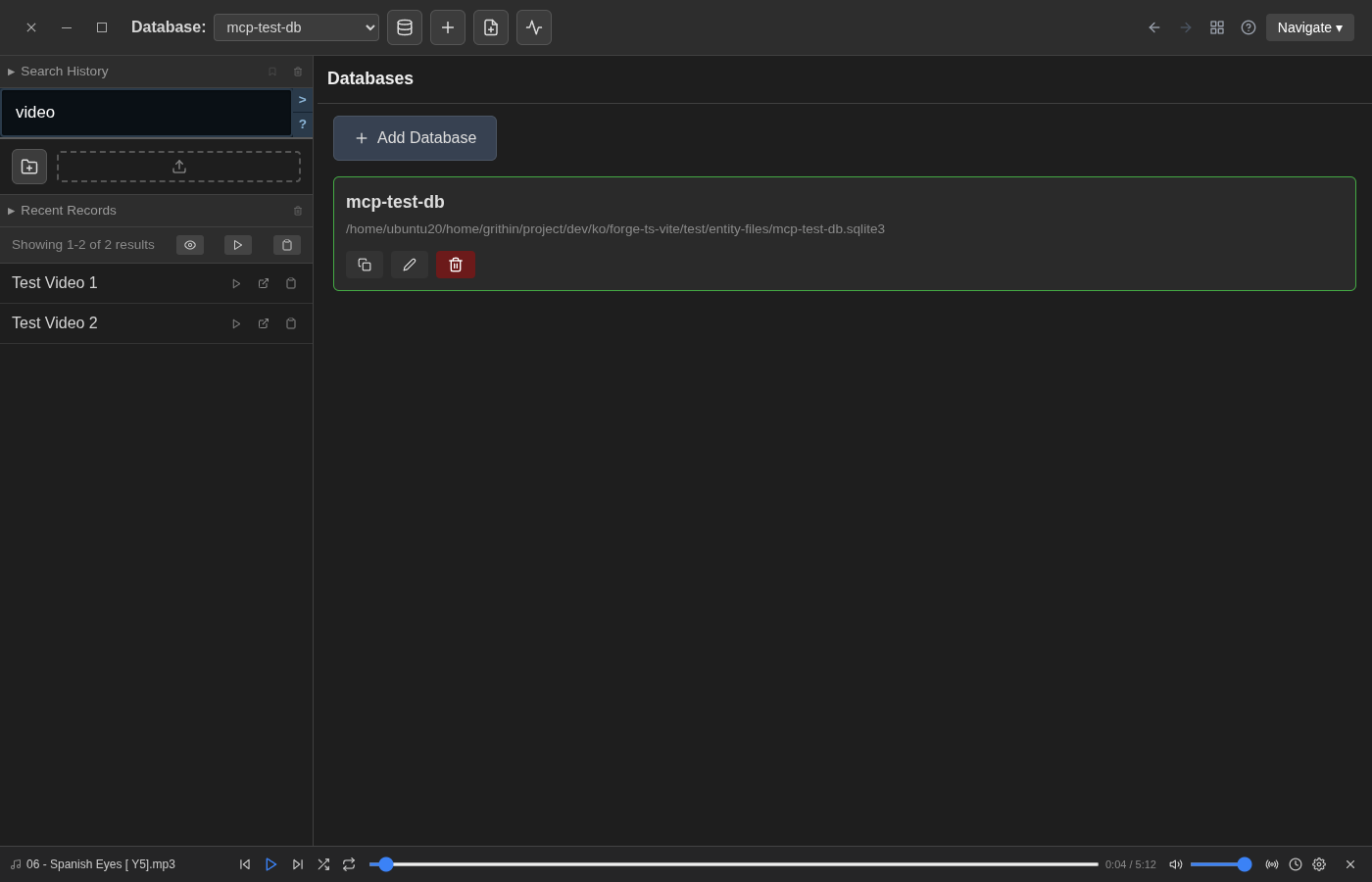
The Databases page manages multiple database collections. Each database has its own entities, settings, and file path.
Access
Navigate: Tools → Databases
Features
Database List
Shows all configured databases with: - Name — the database display name - Path — the filesystem path to the SQLite database file - Entity count — number of entities in the database
Database Actions
- Add Database — create a new database
- Select Database — switch the active database
- Delete Database — remove a database (entities only, not files)
Database Selector
Use the dropdown in the top bar to quickly switch between databases.
Related
- System Settings — system-wide configuration
- Database Settings — per-database settings